
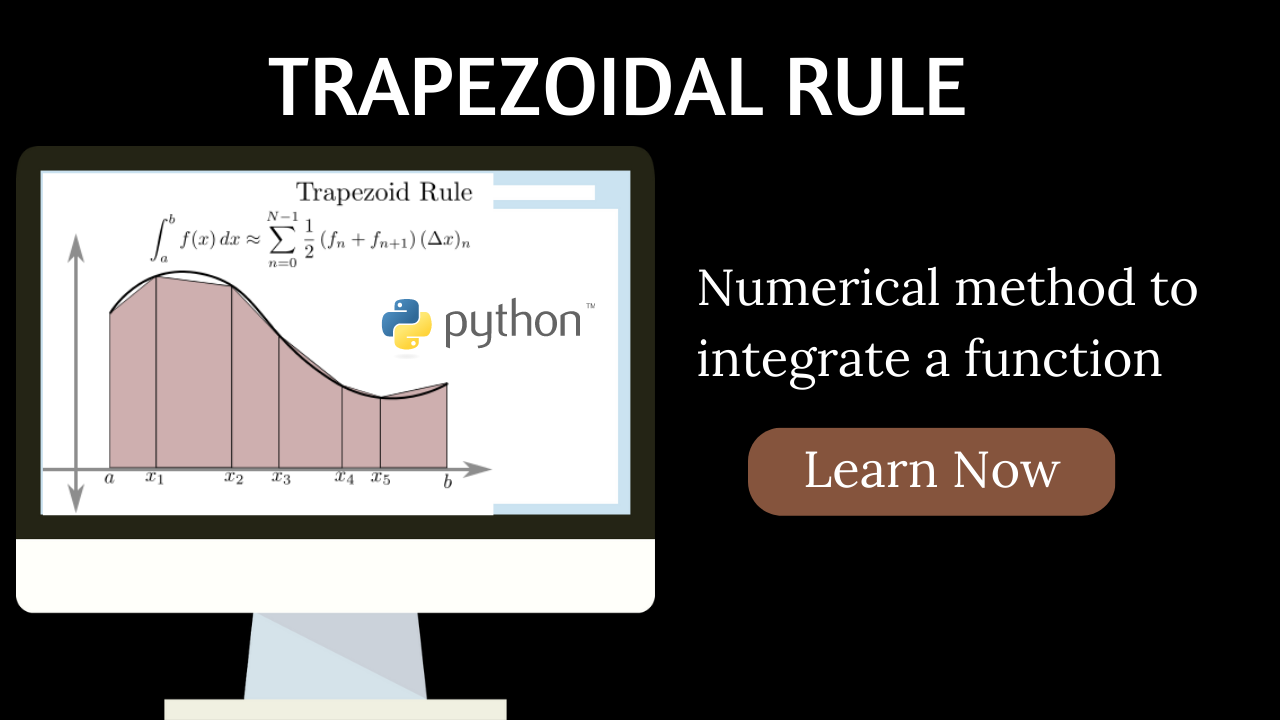
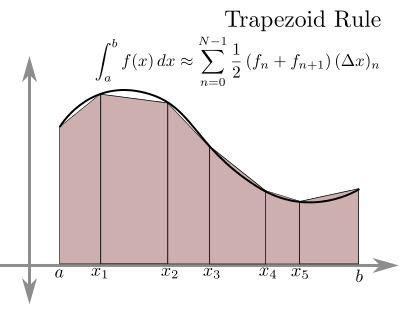
In this blog post, I will explain how to use the trapezoidal rule for numerical integration along with Python code and equations. The trapezoidal rule is a technique for approximating the definite integral of a function by dividing the interval of integration into subintervals and approximating the area under the curve on each subinterval by a trapezoid. The formula for the trapezoidal rule is:

where 

I will show you how to write two versions of a Python program that implements the trapezoidal rule. The first version takes a function and integrates it over a given interval. The second version takes the x and y values of some data points and calculates the area under the curve using the trapezoidal rule.
Version 1: Integrating a function
To integrate a function using the trapezoidal rule, we need to define the function, the interval of integration, and the number of subintervals. For example, let’s say we want to integrate the function 
![[2, 8]](https://s0.wp.com/latex.php?latex=%5B2%2C+8%5D+&bg=ffffff&fg=000&s=0&c=20201002)
import math
# Define the function
def f(x):
    return 3 * math.log(x)

# Define the interval of integration
a = 2 # lower limit
b = 8 # upper limit

# Define the number of subintervals
n = 10
Next, we need to calculate the width of each subinterval and create a list of x values that correspond to the endpoints of each subinterval. We can use a for loop to do this:
# Calculate the width of each subinterval
dx = (b - a) / n

# Create a list of x values
x = [a + i * dx for i in range(n + 1)]
Now, we can apply the trapezoidal rule by summing up the areas of each trapezoid. We can use another for loop to do this:
# Initialize the sum
area = 0

# Loop over each subinterval
for i in range(n):
    # Calculate the area of the trapezoid on this subinterval
    area += (f(x[i]) + f(x[i + 1])) / 2 * dx

# Print the result
print(f"The approximate area under the curve is {area:.4f}")
The output of this program is:
The approximate area under the curve is 27.7141
You can verify the above results by running the code online here or using my Android app. The following is the result from my app.

I have also created a web app, where you can perform numerical integration: https://numint.streamlit.app/.
Version 2: Calculating the area under a curve from data points
To calculate the area under a curve from data points using the trapezoidal rule, we need to have two lists of x and y values that represent the data points. For example, let’s say we have these lists:
# Define the x values
x = [0, 1, 2, 3, 4]

# Define the y values
y = [0, 1, 4, 9, 16]
We can assume that these data points are equally spaced along the x-axis, so we can calculate the width of each subinterval as:
# Calculate the width of each subinterval
dx = x[1] - x[0]
Then, we can apply the trapezoidal rule by summing up the areas of each trapezoid. We can use a for loop to do this:
# Initialize the sum
area = 0

# Loop over each subinterval
for i in range(len(x) - 1):
    # Calculate the area of the trapezoid on this subinterval
    area += (y[i] + y[i + 1]) / 2 * dx

# Print the result
print(f"The approximate area under the curve is {area:.4f}")
The output of this program is:
The approximate area under the curve is 22.0000
You can also verify the above implementation by calculating the same thing via NumPy’s np.trapz function.
# Verification using NumPy
import numpy as np
area = np.trapz(y, x)

# Print the result
print(f"The approximate area under the curve via NumPy (np.trapz) is {area:.4f}")
The approximate area under the curve is 22.0000
The approximate area under the curve via NumPy (np.trapz) is 22.0000
You can run the above code online here
Web App
I have also created this web app so that you can try out the different numerical integration techniques online.
You can also open this link to go full screen.
I hope you guys liked this post and found it useful. In case you have any questions/doubts or suggestions then leave them in the comments section down below.

I’m a physicist specializing in computational material science with a PhD in Physics from Friedrich-Schiller University Jena, Germany. I write efficient codes for simulating light-matter interactions at atomic scales. I like to develop Physics, DFT, and Machine Learning related apps and software from time to time. Can code in most of the popular languages. I like to share my knowledge in Physics and applications using this Blog and a YouTube channel.